A Practical Selection Guide for AV Integrators, System Designers, Distributors and Commercial Display Buyers
Indoor LED displays are becoming an important part of commercial AV projects in the United States, particularly in corporate meeting spaces, retail environments, broadcast studios, hospitality venues and control rooms. For AV integrators, selecting an LED display is not simply about screen size or pixel pitch. It also involves viewing distance, image quality, installation conditions, signal compatibility, maintenance access and long-term operating costs.
According to Omdia's Q1 2025 LED video display market report, global shipments reached 408,000 square meters, with fine-pitch displays accounting for 55.4% of market revenue. Corporate and conference-room applications were among the areas supporting demand for finer pixel pitches. These figures provide useful industry context, although they are not a US-only sales breakdown.
For US commercial AV projects, five indoor LED display configurations are worth evaluating: fine-pitch COB, fine-pitch SMD, standard-pitch fixed installation, all-in-one LED displays and creative or flexible LED systems. Each serves a different project requirement.
1. What US Commercial AV Buyers Look for in Indoor LED Displays
Commercial AV projects typically involve several stakeholders. The AV integrator may specify the display and signal chain, the consultant may define technical requirements, the facility owner may approve the budget, and the installation contractor may be responsible for structural and service access.
The following requirements frequently shape product selection:
Image quality: Resolution, grayscale performance, color consistency and contrast, particularly for presentations and camera-facing environments.
Viewing distance: Pixel pitch should suit the closest expected viewer, not just the overall screen dimensions.
System integration: Compatibility with video processors, switching equipment, control systems and the project's required input formats.
Installation: Cabinet dimensions, mounting structure, front or rear service access, weight and alignment.
Operating costs: Power consumption, cooling, spare parts, maintenance requirements and expected service life.
Project consistency: Repeatable manufacturing, calibration and replacement-module compatibility for multi-screen or multi-site installations.
The five configurations below are selection categories rather than a ranking of specific manufacturers or commercially verified product models.
2. Top 5 Indoor LED Display Models for Commercial AV Projects
Model 1: Fine-Pitch COB LED Display for Executive Meeting Rooms
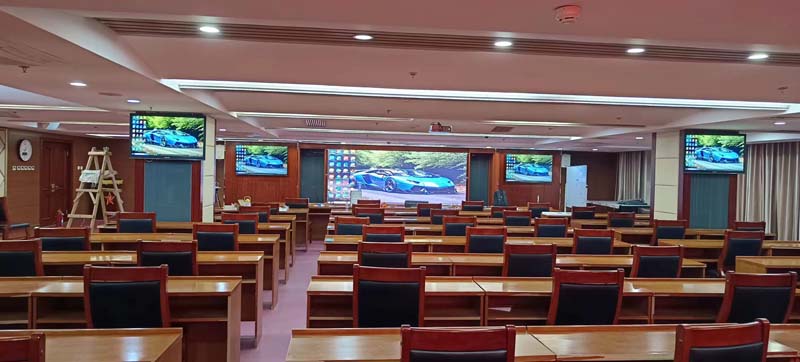
Typical application: Executive boardrooms, corporate conference rooms, premium presentation spaces and experience centers.
COB (Chip on Board) LED displays are designed for applications where close viewing and a clean, uniform image are important. Their packaging structure makes them a candidate for fine-pitch installations, including rooms where participants sit relatively close to the screen.
Typical specification range for project evaluation
| Parameter | Example selection range |
|---|---|
| Pixel pitch | P0.7–P1.5 |
| Brightness | Approximately 500–800 nits |
| Screen configuration | Large-format fixed installation |
| Viewing distance | Close to medium |
| Main priority | Fine detail and image uniformity |
| Installation | Wall-mounted or integrated structure |
These are indicative selection ranges, not specifications for a particular HITULCD product.
Why AV integrators consider COB
COB is worth evaluating when the screen is used for detailed presentations, spreadsheets, product demonstrations or high-resolution visual content. The application also places importance on surface durability, image uniformity and viewing comfort.
Before specifying a COB system, confirm the actual pixel pitch, grayscale performance at low brightness, color calibration process, repair method and module replacement procedure.
What to check before ordering
Does the pixel pitch support the intended viewing distance and resolution?
Is the display suitable for the room's ambient lighting?
Can the system reproduce detailed text and graphics consistently?
How are damaged pixels or modules serviced?
Are spare modules calibrated to match the installed display?
For a boardroom project, the screen's total resolution and content workflow should be evaluated alongside pixel pitch. A very fine pitch does not automatically mean the overall system will deliver the desired 4K or other target resolution.
Model 2: Fine-Pitch SMD LED Display for Control Rooms and Broadcast Studios
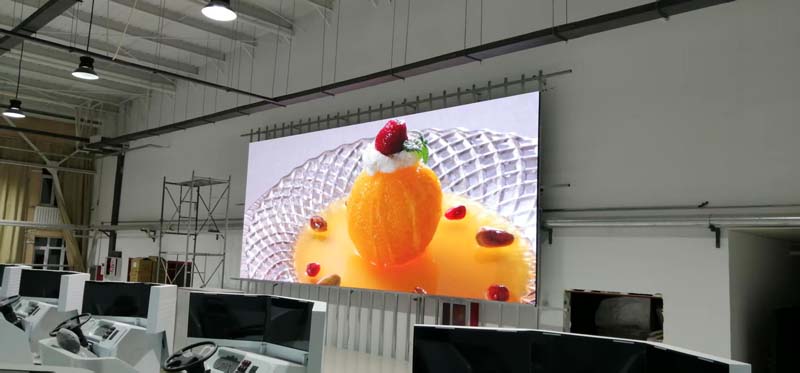
Typical application: Security operations centers, network operation centers, broadcast studios and monitoring environments.
Fine-pitch SMD (Surface-Mount Device) LED displays are widely used as modular building blocks for fixed-installation video walls. They are worth considering when a project needs a large continuous image area, multiple viewing positions or a configurable screen layout.
Typical specification range for project evaluation
| Parameter | Example selection range |
|---|---|
| Pixel pitch | P1.2–P1.9 |
| Brightness | Approximately 500–800 nits |
| Screen configuration | Modular video wall |
| Viewing distance | Close to medium |
| Main priority | Detail, calibration and reliability |
| Installation | Fixed wall or equipment-room structure |
Why this configuration is relevant
Control rooms and broadcast environments may display multiple video feeds, maps, dashboards, graphics and live information simultaneously. The screen therefore needs to support the content resolution, layout and operating schedule of the wider AV system.
For a control room, the evaluation should include:
Consistent color and brightness across cabinets.
Stable performance during extended operation.
Low-brightness grayscale behavior for dark operating environments.
Compatibility with the selected video processor and control platform.
Access for maintenance without unnecessary disruption.
For broadcast studios, camera testing is particularly important. Refresh rate, scan behavior, grayscale and camera shutter settings should be checked together to reduce visible artifacts during filming.
Procurement consideration
Ask the manufacturer for the actual refresh-rate specification, calibration tolerances, operating recommendations and service documentation. Avoid treating a high refresh-rate number as a substitute for a complete camera compatibility test.
Model 3: P1.8–P2.5 Fixed LED Display for Retail and Commercial Signage
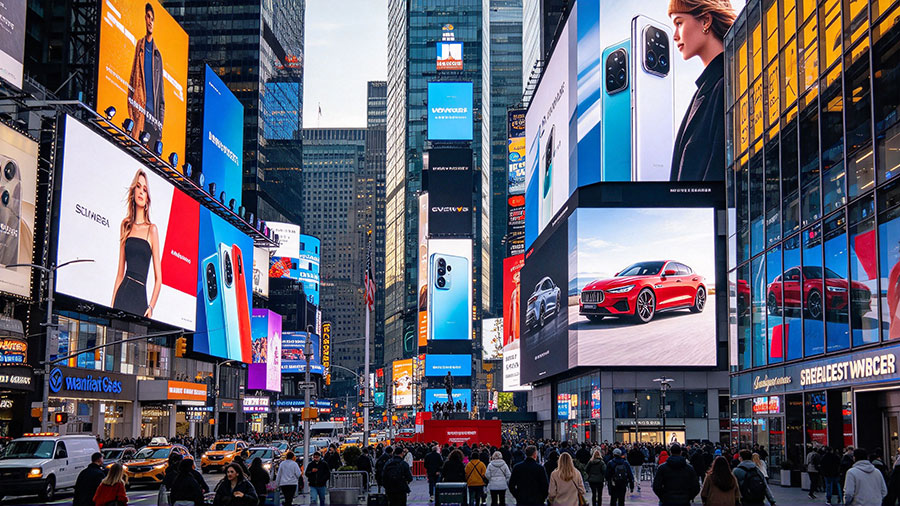
Typical application: Retail stores, shopping centers, hotel common areas, restaurants, showrooms and commercial lobbies.
For applications where viewers are usually farther from the screen, standard fine-pitch or medium-pitch LED displays may offer a practical balance between screen area, resolution and project cost.
P1.8–P2.5 configurations are useful starting points for evaluating medium-format commercial displays, although the appropriate pitch depends on viewing distance, content and screen dimensions.
Typical specification range for project evaluation
| Parameter | Example selection range |
|---|---|
| Pixel pitch | P1.8–P2.5 |
| Brightness | Approximately 600–1,000 nits |
| Screen configuration | Fixed modular installation |
| Viewing distance | Medium |
| Main priority | Visibility and content flexibility |
| Installation | Retail wall, lobby or signage structure |
Where this model fits
Retail and commercial signage projects often use LED displays for promotional content, brand storytelling, product imagery, seasonal campaigns and digital information.
Compared with a meeting-room display, a retail screen may need to accommodate brighter ambient conditions, changing content and longer daily operating schedules.
For these installations, integrators should consider:
Screen brightness in relation to ambient light.
Content management and scheduling requirements.
Installation position and viewing angles.
Access for routine maintenance.
Power and ventilation requirements.
Consistency when deploying multiple screens across different locations.
A practical selection example
A retail store planning a large promotional wall may prioritize screen visibility and content impact over extremely fine pixel pitch. A luxury showroom showing close-up product details may have a different requirement, particularly if visitors stand close to the display.
The best specification is therefore determined by the actual viewing environment rather than by a general claim that one pitch is suitable for all retail applications.
Model 4: All-in-One LED Display for Conference Rooms and Training Spaces
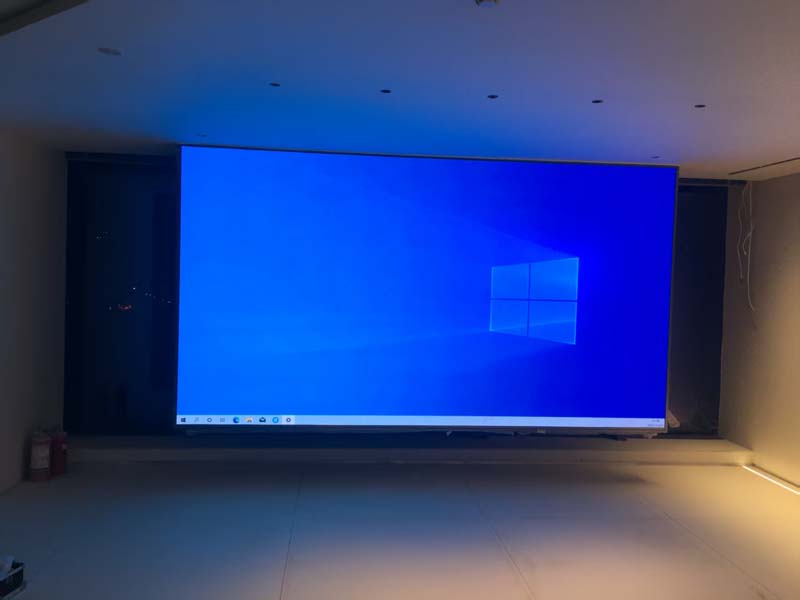
Typical application: Corporate meeting rooms, training centers, education facilities, presentation rooms and smaller event spaces.
All-in-one LED displays combine key display-system components into a preconfigured product or integrated package. Depending on the manufacturer, the system may include the LED display, control hardware, mounting components and other installation-related features.
For AV integrators, the main consideration is whether the package simplifies deployment without restricting the project's technical requirements.
Typical specification range for project evaluation
| Parameter | Example selection range |
|---|---|
| Pixel pitch | P1.2–P2.5 |
| Brightness | Approximately 500–800 nits |
| Screen configuration | Integrated package |
| Viewing distance | Close to medium |
| Main priority | Deployment and system integration |
| Installation | Conference room or training space |
Why integrators may consider an all-in-one system
A preconfigured package can reduce the number of separately specified display components and make the installation process easier to coordinate.
However, integrators should check the system's flexibility before choosing it for a project.
Key questions include:
Does the system support the required input sources and resolutions?
Is the control interface compatible with the existing AV setup?
Can the screen be integrated with the room's audio, conferencing and automation systems?
What maintenance procedures and replacement parts are available?
Does the package meet the room's mounting and electrical requirements?
An all-in-one product should not automatically be assumed to be plug-and-play with every professional AV system. Confirm the required interfaces, control behavior, processor capabilities and installation constraints before procurement.
Model 5: Flexible or Creative LED Display for Immersive Commercial Spaces
Typical application: Brand experience centers, exhibition spaces, architectural installations, hospitality interiors and immersive environments.
Flexible and creative LED configurations allow designers to explore curved screens, corners, unusual shapes and other installations that extend beyond a conventional rectangular video wall.
These projects are often driven by architectural requirements and the intended visual experience rather than by a standard screen size.
Typical specification range for project evaluation
| Parameter | Example selection range |
|---|---|
| Pixel pitch | Project-specific |
| Brightness | Application-specific |
| Screen configuration | Curved, corner or creative layout |
| Viewing distance | Depends on installation |
| Main priority | Form factor and visual continuity |
| Installation | Custom architectural structure |
What makes creative LED projects different
A creative display introduces additional mechanical and installation considerations. The cabinet design, module flexibility, mounting structure, screen curvature and signal mapping must all work together.
For integrators, the critical questions include:
What minimum curvature radius is supported?
Can the screen geometry be manufactured consistently?
How will the structure support the required cabinet arrangement?
Can the display maintain visual continuity across curved or angled sections?
How will maintenance be performed after installation?
Does the video processor support the required screen mapping?
For a curved installation, request engineering drawings and a layout simulation before confirming the order. A display that works as a flat wall may not be suitable for the proposed curved geometry.
3. Comparison: Which Configuration Matches Your AV Project?
| Display configuration | Common project | Main selection priority | Key consideration |
|---|---|---|---|
| Fine-pitch COB | Executive boardroom | Close-view image quality | Surface, calibration and repair |
| Fine-pitch SMD | Control room or studio | Detail and continuous operation | Camera testing and system reliability |
| P1.8–P2.5 fixed LED | Retail and commercial signage | Visibility and project economics | Ambient light and viewing distance |
| All-in-one LED | Conference and training rooms | Deployment simplicity | AV compatibility and serviceability |
| Flexible or creative LED | Immersive commercial spaces | Custom geometry | Mechanical design and mapping |
There is no universal model for every commercial AV project. A display intended for a boardroom may have very different requirements from a screen designed for a retail atrium or an operational monitoring center.
The selection process should begin with the project brief, including screen dimensions, viewing distance, content type, ambient light, installation structure and system integration requirements.
4. Five Technical Factors to Confirm Before Procurement
4.1 Pixel Pitch and Viewing Distance
Pixel pitch determines the spacing between neighboring LED pixels. A smaller pitch generally supports higher pixel density at a given screen size, but the required pitch depends on how the display will be viewed.
For example, a screen intended for close viewing in a meeting room may require a finer pitch than a large retail wall viewed from several meters away.
Do not specify pixel pitch in isolation. Confirm the desired screen resolution, content detail and nearest viewing position.
4.2 Brightness and Ambient Light
Indoor LED displays do not all operate under the same lighting conditions.
A conference room with controlled lighting may have different brightness requirements from a retail environment with strong overhead lighting or a glass-fronted commercial space.
Excessive brightness can also affect viewing comfort. The display should provide enough luminance for the installation without making the content unnecessarily uncomfortable to view.
Request the manufacturer's recommended operating brightness and confirm whether the specified figure is a maximum or a typical operating value.
4.3 Refresh Rate, Grayscale and Camera Performance
Refresh rate is an important specification for professional AV, particularly when the screen will appear on camera.
However, refresh rate alone does not establish camera compatibility. The complete system should be tested with the intended camera, shutter settings, frame rate and image-processing chain.
For presentations and broadcast environments, also evaluate grayscale performance, color uniformity and image behavior at the brightness levels actually used.
4.4 Installation and Maintenance
A modular LED display may be easier to configure for different dimensions, but its service requirements depend on cabinet construction and access arrangements.
Before placing an order, confirm:
Front or rear maintenance access.
Cabinet dimensions and total screen weight.
Mounting and structural requirements.
Cable routing and power distribution.
Spare-module availability.
Repair procedures and technical support.
For projects installed in existing buildings, verify the load-bearing structure and access limitations before finalizing the display layout.
4.5 Video Processing and AV Integration
The display is only one component of the finished commercial AV system.
The integrator should verify the complete signal path, including source devices, switching, scaling, video processing, control and the LED receiving system.
Check the required resolution, refresh behavior, input formats, signal distribution and redundancy requirements where applicable.
For multi-screen projects, confirm how the system will manage content layouts, screen synchronization and ongoing configuration changes.
5. How AV Integrators Can Compare LED Display Suppliers
For distributors, consultants and system integrators, the manufacturer's technical support and production consistency can be just as important as the headline display specifications.
A supplier evaluation should include the following areas.
Manufacturing and quality control
LED module and cabinet production capabilities.
Calibration and inspection procedures.
Consistency between production batches.
Documented testing and traceability.
Quality control for incoming components and finished products.
Engineering support
Product drawings and technical datasheets.
Cabinet layout and installation guidance.
Power and signal connection documentation.
Assistance with custom screen configurations.
Support for system commissioning and troubleshooting.
Project supply
Confirmed production lead time.
Sample availability, where applicable.
Spare-module and replacement-part policy.
Packaging and shipping arrangements.
Technical support after delivery.
For multi-location installations, ask how the manufacturer maintains consistency across repeat orders. The ability to reproduce the same configuration can be important when an AV integrator manages a portfolio of commercial sites.
6. Frequently Asked Questions
Q1. What pixel pitch should I choose for a US conference room LED display?
Start with the closest viewing distance, screen dimensions and required image resolution. Fine-pitch options such as P0.9–P1.5 may be considered for close-view applications, but the appropriate specification depends on the room layout and budget.
Q2. Is COB or SMD better for commercial AV projects?
Both technologies can serve commercial AV applications. COB may be considered for certain fine-pitch installations where surface construction and close viewing matter. SMD offers a widely used modular approach across many fixed-installation applications. Compare the actual product's image performance, serviceability, reliability documentation and total project requirements rather than relying on packaging technology alone.
Q3. Are indoor LED displays suitable for 24/7 operation?
Some systems are designed for extended or continuous operation, but this should be confirmed for the exact model and installation. Ask for operating recommendations, thermal requirements, reliability documentation and the manufacturer's warranty conditions.
Q4. What should an AV integrator request before receiving a quotation?
At minimum, provide the target screen dimensions, pixel pitch or resolution requirements, application, viewing distance, installation environment, expected operating schedule and required interfaces. If the project involves a curved or unusual layout, include drawings or a screen layout concept.
Q5. Should I purchase LED modules or complete cabinets?
This depends on your role in the project. An integrator with established cabinet engineering and assembly capabilities may have different requirements from a contractor seeking a ready-to-install system. Confirm mechanical compatibility, control architecture, electrical design, calibration and warranty responsibilities before selecting the supply format.
7. Request a Specification Review for Your Indoor LED Project
Choosing an indoor LED display involves balancing visual performance, system compatibility, installation constraints and the operating requirements of the space.
For US commercial AV projects, the most useful first step is to define the installation rather than select a model from a product list alone.
Send your project requirements for a technical review:
Application: Boardroom, control room, retail, hospitality, studio or other.
Screen dimensions: Width × height.
Viewing distance: Nearest and typical viewing positions.
Pixel pitch or resolution: Required or under consideration.
Installation: Wall-mounted, freestanding, recessed, curved or custom.
Operating schedule: Daily hours and expected service conditions.
AV integration: Video processor, signal sources and control requirements.
Project quantity: One display or a multi-site rollout.
HITU Display
Indoor LED display panels and cabinets for commercial display projects, system integrators and OEM customers.
Contact the team to discuss cabinet configurations, module requirements, project specifications and supply options.
Get a Quote | Discuss Your LED Project
Editorial note: The five configurations in this guide are application-led product categories, not verified HITULCD or HITU Display model names. The pitch and brightness figures are indicative engineering ranges for initial selection, not guaranteed product specifications. For publication, link each category to a corresponding product page only after confirming that the exact configuration is available.